
- Streaming Products
- BD-DVD products
- Useful Articles
- support
Article Editor: Young leaves
April 21, 2026
Experience the best music converter now!
Share this article!


By using YouTube MP3 conversion and download sites, you can save content such as music and lectures from YouTube and enjoy them freely during your commute or on the go. MP3 download sites are convenient because they do not require software installation or registration, but many people prioritize safety due to concerns about virus infection and privacy violations.
This article features eight carefully selected, safe, and reliable YouTube MP3 conversion and download sites, updated for 2026. We compare their features, advantages, and disadvantages. Furthermore, we also introduce YouTube MP3 conversion software that offers enhanced security. If you want to download YouTube content as MP3s, please refer to this article.
Related Posts:
Author's Notes
The author has tested the YouTube MP3 conversion and download sites introduced in this article in the following test environment.
We investigated over 15 YouTube MP3 download sites and narrowed down our recommendations based on actual user experience. After comprehensively evaluating factors such as conversion success rate, minimal advertising, output sound quality, ease of use, and stability, we selected eight online conversion sites that received particularly high ratings.
From here, we'll introduce some recommended free YouTube MP3 download sites. Each site has different features and points to note, so choose one not only based on ease of use, but also on the amount of ads and the stability of the conversion.
Official website: https://receive.shamimomo.net/YouTubeMP3modoki/
| item | Content |
| YouTube link parsing speed | Analysis completed in 5 seconds |
| Speed of saving MP3s from YouTube | The conversion and download speeds are fast, but there's a waiting time of 30 minutes or more each time. |
| Output Format | M4A/MP3/OPUS/MP4/WAV/WebM |
| Displaying ads | A little |
| Saveable YouTube audio quality | Up to 320kbps |
| Actual verification success rate | Parsing YouTube links often fails. |
| Free/Paid | free |
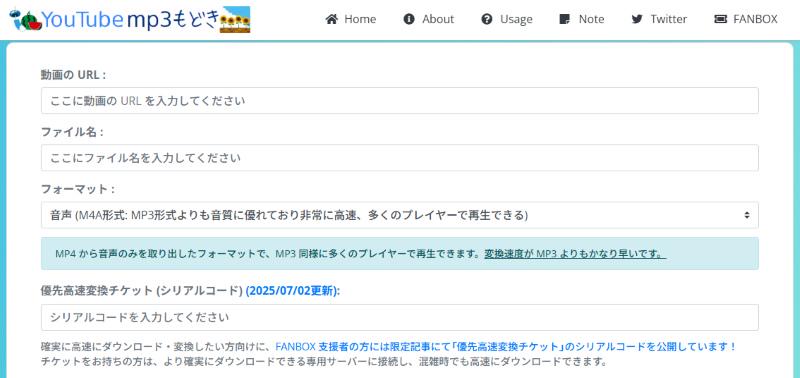
"YouTube MP3 imitation" is a popular online service that allows you to convert and download YouTube videos and music to MP3 format. It's completely free to use, and you can easily save YouTube videos in formats such as MP3, M4A, and MP4 by simply pasting the URL. It has few pop-up ads, making it highly secure and eliminating the risk of accidentally clicking on suspicious ads. It's simple to use and comes with a beginner-friendly guide, so anyone can easily download MP3 music files from YouTube.
Advantages:
Cons:
Official website: https://wwv-y2mate.com/ja/
| item | Content |
| Recommendation | ★★★★★ |
| YouTube link parsing speed | Analysis completed in 5 seconds |
| Speed of saving MP3s from YouTube | YouTube music MP3 downloads are fast. |
| Output Format | MP4/M4V/3GP/WMV/FLV/MO/MP3/WEBM |
| Displaying ads | A little |
| Saveable YouTube audio quality | Up to 320kbps |
| Actual verification success rate | expensive |
| Free/Paid | Free (128kbps or more is charged) |
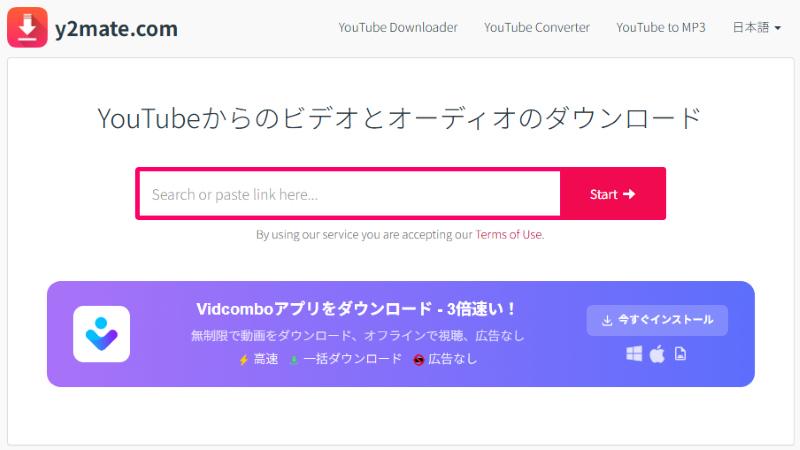
"Y2mateThis is an online service that allows you to convert and download YouTube videos to MP3 for free. It boasts fast YouTube URL parsing speeds and MP3 conversion/saving speeds, allowing you to efficiently download your favorite music locally. This MP3 conversion site can download not only YouTube videos but also Twitter videos and music, and supports a variety of formats including MP3/M4A/MP4/3GP/WebM. When downloading YouTube music as MP3 files, you can choose from sound quality options of 128kbps or 320kbps. Please note that the original official domain "y2mate.com" has already been shut down and blocked, and it is no longer possible to directly access the former official website.
Advantages:
Cons:
Official website: http://offliberty.com/
| item | Content |
| YouTube link parsing speed | It takes more than 1 minute. |
| Speed of saving MP3s from YouTube | slow |
| Output Format | MP3/MP4 |
| Displaying ads | A little |
| Saveable YouTube audio quality | 128kbps, not selectable |
| Actual verification success rate | Link analysis often fails, and the success rate is low. |
| Free/Paid | free |
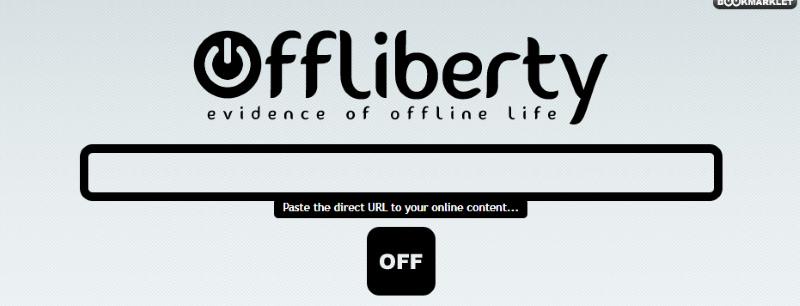
"Offliberty" is a site where you can convert and download YouTube videos to MP3 or MP4. This site is completely free to use, has no pop-up ads, and features a simple interface that makes it easy to use. It supports downloading content not only from YouTube, but also from many other video sharing services such as NicoNico, FC2, and Dailymotion. Although a few ads are displayed, there are no pop-up ads when downloading.
Advantages:
Cons:
Official website: https://dirpy.com/
| item | Content |
| YouTube link parsing speed | Analysis completed in 5 seconds |
| Speed of saving MP3s from YouTube | MP3 downloads for free members take 20-30 seconds. |
| Output Format | MP3/M4A/FLAC/AAC/WAV |
| Displaying ads | none |
| Saveable YouTube audio quality | Up to 320kbps |
| Actual verification success rate | expensive |
| Free/Paid | Free (conversion of some formats is available only to premium members) |
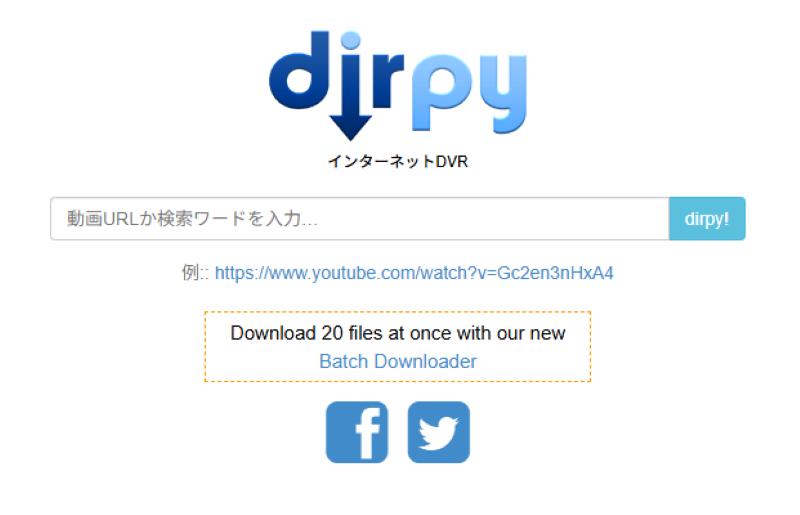
"Dirpy"Dirpy" is an online site that allows you to convert and download videos from video sharing services such as YouTube, Niconico Video, TikTok, and Twitter to MP3. You can freely set the audio quality of YouTube MP3 files from 32 kbps to a maximum of 320 kbps. Conversion to MP3 or MP4 is free, and a premium subscription adds support for more output formats, including AAC, WAV, and MKV. "Dirpy" allows you to select specific parts of YouTube videos to convert. By setting the start and end times of the YouTube video before conversion, you can convert only the parts you want to MP3.
Advantages:
Cons:
Official website: https://flvto.onl/ja/
| item | Content |
| YouTube link parsing speed | Analysis completed in 5 seconds |
| Speed of saving MP3s from YouTube | fast |
| Output Format | MP3/AVI/MP4 |
| Displaying ads | many |
| Saveable YouTube audio quality | Can't select |
| Actual verification success rate | expensive |
| Free/Paid | free |
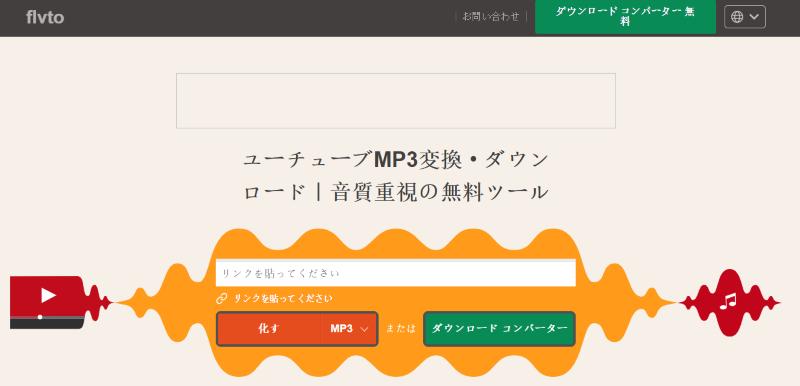
"Flvto" is an online conversion site that allows you to download YouTube videos to MP3 format completely free of charge. In addition to converting YouTube videos to MP4 or AVI formats, you can also easily extract audio and convert it to MP3 for saving. In addition to YouTube, it also supports multiple streaming services, including SoundCloud, TikTok, and Twitter. However, this site frequently displays advertisements, and clicking the download button opens a new tab, so security precautions are required when using it.
Advantages:
Cons:
Official website: https://ytmp3.sc/
| item | Content |
| YouTube link parsing speed | Analysis completed in 3 seconds |
| Speed of saving MP3s from YouTube | fast |
| Output Format | MP3/MP4 |
| Displaying ads | Pop-up ads included |
| Saveable YouTube audio quality | Can't select |
| Actual verification success rate | expensive |
| Free/Paid | free |
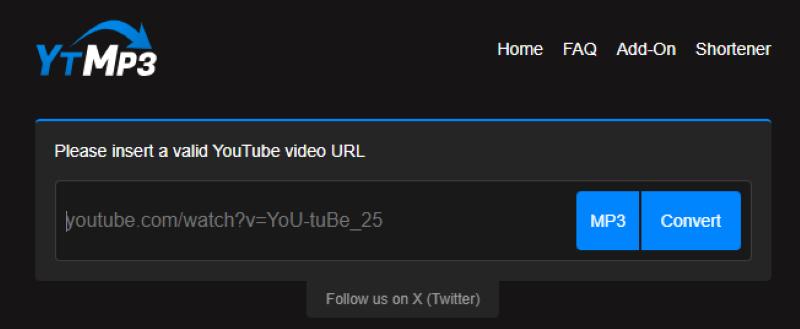
"YTMP3" is a free website available for downloading YouTube videos in MP3 and MP4 formats on a variety of devices, including PCs, smartphones, and tablets. It converts and downloads YouTube videos to MP3 format quickly, and has a relatively high success rate for saving MP3 files. While the site is largely free of advertisements, clicking the download button can sometimes take you to a suspicious advertising site, so safety is not guaranteed.
Advantages:
Cons:
Official website: https://v2.yt1s.biz/ja2/youtube-to-mp3/
| item | Content |
| YouTube link parsing speed | Analysis completed in 6 seconds |
| Speed of saving MP3s from YouTube | fast |
| Output Format | MP3/M4A/OPUS/MP4 |
| Displaying ads | Pop-up ads included |
| Saveable YouTube audio quality | 64kbps to 320kbps |
| Actual verification success rate | expensive |
| Free/Paid | free |
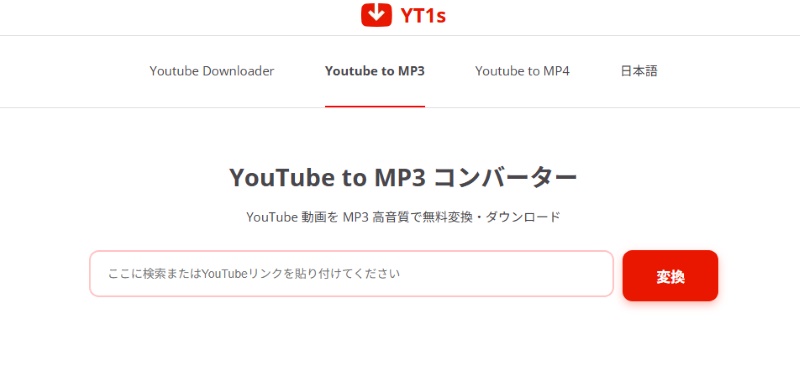
"YT1sThis is an online site that can convert YouTube videos to MP3 or MP4. It's very easy to use; simply paste the YouTube URL into the input field to convert. It's ideal for quickly downloading short music videos and other videos as MP3s. High-quality 320kbps MP3 conversion is also available. However, a pop-up will appear each time you download a file. When using it, you need to carefully check that the download button on the screen is genuine.
Advantages:
Cons:
Official website: https://transcribetext.com/ja/youtube-to-mp3
| item | Content |
| YouTube link parsing speed | Analysis completed in 15 seconds |
| Speed of saving MP3s from YouTube | It takes 10 seconds, which is a bit slow. |
| Output Format | MP3/MP4 |
| Displaying ads | none |
| Saveable YouTube audio quality | Up to 129kbps |
| Actual verification success rate | expensive |
| Free/Paid | free |
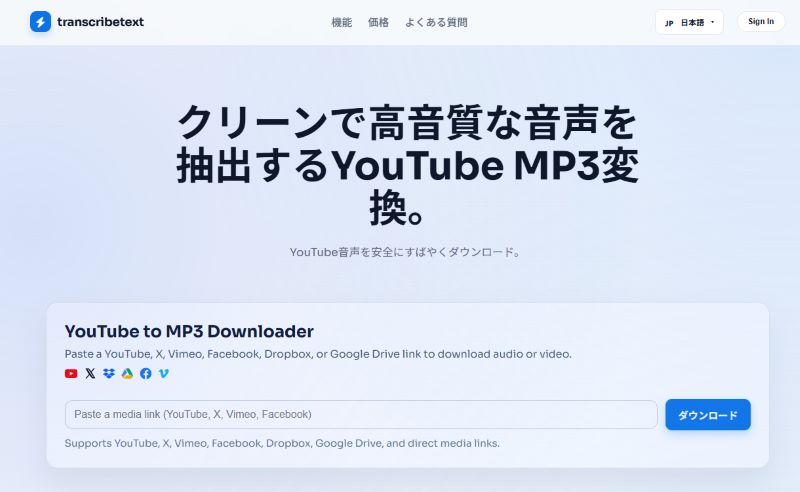
"TranscribeTextThis is an online tool that supports audio conversion of YouTube videos. As the site name suggests, it is sometimes used in conjunction with audio transcription functions from YouTube, X, Facebook, etc., but it can also be used if you want to save the audio in MP3 format. The advantage is that it is easy for beginners to use because the screen is relatively simple, there are no ads, and there are no overly complicated settings. However, this site only allows you to download low-quality YouTube music files up to 129kbps.
Advantages:
Cons:
While free YouTube MP3 download sites are convenient and useful, if you have the following concerns, dedicated software for converting YouTube music to MP3 is a better option.
While the YouTube to MP3 conversion sites mentioned above are still usable as of 2026, they lack stability and carry the risk of sudden closure. Furthermore, many of these sites display advertisements and pop-ups. Here, we introduce two highly reliable software options for converting and downloading YouTube to MP3, for users who prioritize safety and stability.
Official website: https://streambyte.jp/all-music-converter/
| item | Content |
| Recommendation | ★★★★★ |
| Speed of converting from YouTube to MP3 | High-speed, from music analysis to download completion takes less than 10 seconds. |
| Output Format | MP3/WAV/FLAC/AIFF/M4A (AAC/ALAC) |
| Displaying ads | none |
| Saveable YouTube audio quality | Up to 320kbps |
| Actual verification success rate | expensive |
| Free/Paid | 14-day free trial available |
"StreamByte for MusicThis is a music conversion software that can convert songs from major music streaming services such as YouTube Music, Spotify, and Apple Music into formats such as MP3, M4A, WAV, and FLAC. Unlike online conversion sites, it can be used without worrying about ads or fake buttons, making it suitable for those who want to save their music reliably.
It allows for high-quality output at up to 320kbps, so even if you're not a YouTube Music premium member, you can safely enjoy your favorite songs, albums, and playlists in high quality.Save to DRM-free MP3 formatYes, it's possible. It makes it easier to retain tag information such as song title, artist name, and album name, and also simplifies music management after saving.
There is also a free trial version that allows you to try out all the features, so try it out first to see how easy it is to use.
StreamByte for Music
This is the perfect music converter for those who want to enjoy streaming music with the original sound quality. It supports multiple music platforms and allows you to save music while maintaining high sound quality.
Advantages:
Cons:
Official website: https://www.topvox.jp/all-music-converter/
| item | Content |
| Recommendation | ★★★★★ |
| Speed of converting from YouTube to MP3 | High-speed, from music analysis to download completion takes less than 10 seconds. |
| Output Format | MP3/WAV/FLAC/AIFF/M4A (AAC/ALAC) |
| Displaying ads | none |
| Saveable YouTube audio quality | Up to 320kbps |
| Actual verification success rate | expensive |
| Free/Paid | Free trial available; download the first 3 minutes of each song for free. |
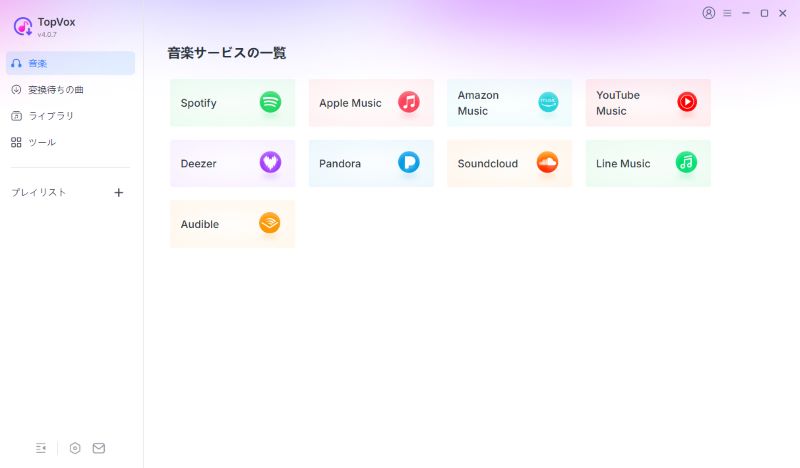
" TopVox All-in-One Music ConverterThis software is a music conversion program that supports multiple music services such as YouTube Music, Apple Music, and Amazon Music. It can convert to a variety of audio formats including MP3, M4A, WAV, and FLAC, making it ideal for those who want to play and manage YouTube music on their smartphones, USB drives, MP3 players, car navigation systems, and more. In addition to being a YouTube to MP3 converter, it also includes tools for format conversion, tag editing, AA/AAX conversion, and playlist migration, making it convenient when switching music subscriptions or organizing your music library. Its user-friendly interface and comprehensive features make it suitable for a wide range of users, from beginners to advanced users.
Advantages:
Cons:
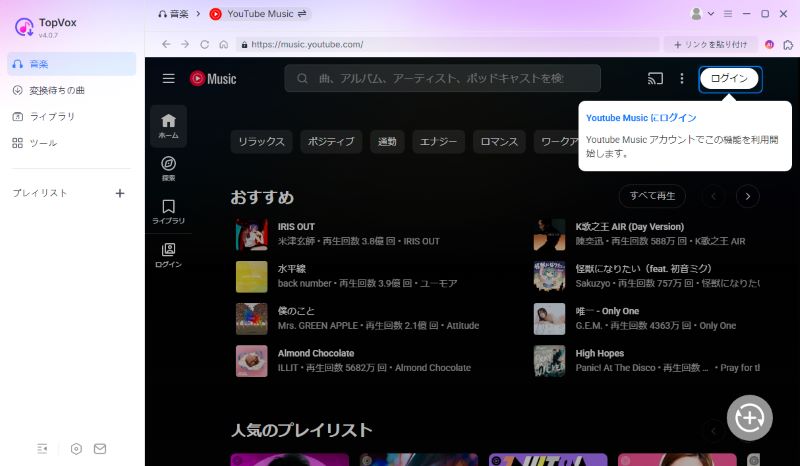
step 1,
Install and launch the YouTube MP3 download software. Next, select YouTube Music from the main interface to access the web player. Sign in with your YouTube account.
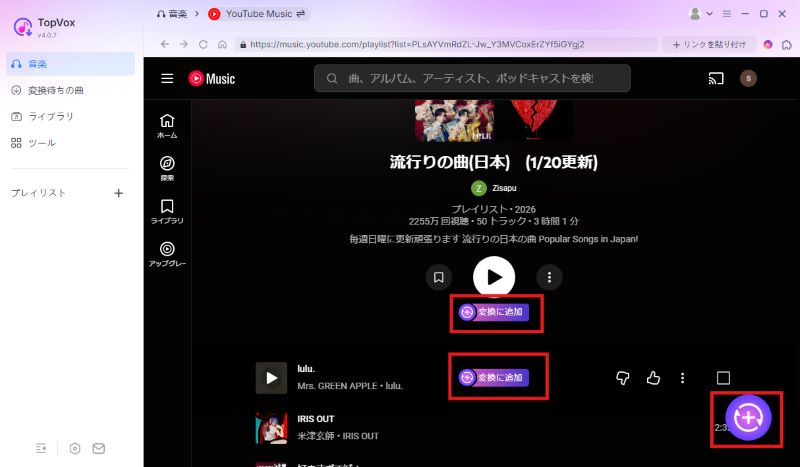
Step 2,
On the YouTube Music screen, open the song, album, or playlist you want to download in MP3 format. Click "Add to Convert" or the "+" button in the bottom right corner to add the song to the conversion list.
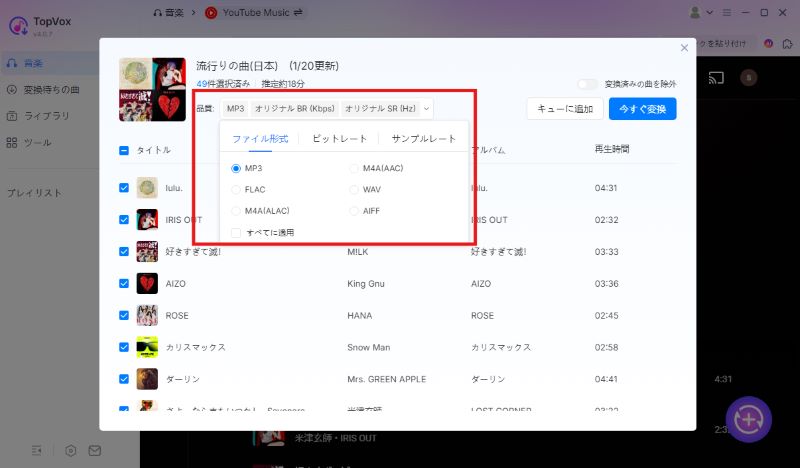
Step 3,
On the conversion settings screen, set the output format to "MP3". You can also set the audio quality to 320kbps if needed.
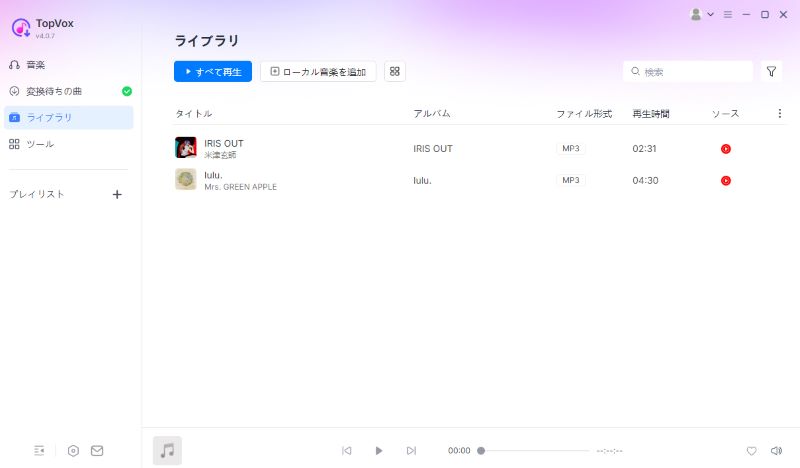
Step 4,
Once you've finished the settings, click "Convert Now" to convert and download your YouTube Music tracks to MP3 format. After the conversion, you can check the downloaded YouTube Music tracks in MP3 format on the "Conversion Complete" screen.
| YouTube MP3 Downloader | StreamByte for Music | TopVox All-in-One Music Converter | YouTube MP3 imitation | Y2mate | Offliberty | Dirpy | Flvto | YTMP3 | YT1s | TranscribeText |
| Output Format | MP3/WAV/FLAC/AAC/ALAC/AIFF | MP3/WAV/FLAC/AAC/ALAC/AIFF | M4A/MP3/OPUS/MP4/WAV/WebM | MP4/M4V/3GP/WMV/FLV/MO/MP3/WEBM | MP3/MP4 | MP3/M4A/FLAC/AAC/WAV | MP3/AVI/MP4 | MP3/MP4 | MP3/M4A/OPUS/MP4 | MP3/MP4 |
| Download speed | Up to 35x speed | Up to 35x speed | Fast (long waiting time) | fast | fast | usually | fast | fast | fast | Somewhat slow |
| Displaying ads | none | none | A little | Pop-up ads included | A little | none | Pop-up ads included | Pop-up ads included | Pop-up ads included | none |
| Saveable YouTube audio quality | Up to 320kbps | Up to 320kbps | Up to 320kbps | Up to 320kbps | 128kbps, not selectable | Up to 320kbps | Can't select | Can't select | Up to 320kbps | Up to 129kbps |
| YouTube saving success rate | expensive | expensive | expensive | expensive | low | Slightly expensive | Slightly expensive | usually | Slightly expensive | Slightly expensive |
| Free/Paid | Free version available | Free version available | free | free | free | Free (conversion of some formats is available only to premium members) | free | free | free | free |
In the table above, we've compared the recommended YouTube MP3 download websites and software introduced in this article based on various aspects, such as output format, download speed, ad display, and output sound quality. Use this table to help you choose the best MP3 download tool for your needs.
Those who want to download music from YouTube at high speedThis includes "StreamByte for Music" and " TopVox All-in-One Music ConverterThis software is suitable. With this software, you can convert and download YouTube music to MP3 at speeds up to 35 times faster.
Those who care about high quality YouTube musicWe recommend using "StreamByte for Music" or "YouTube MP3 Mock." When converting YouTube music to MP3, you can freely set the sound quality from low to a maximum of 320 kbps.
Those who want no ads from YouTube Music and high securityFor this purpose, dedicated music download software such as "StreamByte for Music" or "TopVox All-in-One Music Converter" is ideal. This software has been verified to be completely ad-free and virus-free, guaranteeing its safety.
Overall, if you want to download YouTube Music songs in MP3 format more stably and safely, "StreamByte for MusicDedicated software like the one mentioned above is the optimal choice. It features high-speed processing up to 35x and high-quality audio at 320kbps, as well as being ad-free and highly secure. Furthermore,Bitrate/sample rate settings, batch processing, and ID3 tag information editing and retentionIt also has features that other sites don't have, such as: This allows for efficient and high-quality YouTube MP3 downloads.
100% safe and virus free
100% safe and virus free
YouTube's official service does not allow you to directly download music videos and other content in audio format. If you subscribe to the YouTube Premium plan, you can download songs within the YouTube Music app, but there are restrictions on the devices that can be used.Cancel Premium MembershipThis will prevent offline playback.
By using the YouTube to MP3 download sites and professional conversion software introduced in this article, you can convert your favorite YouTube music to MP3 format and save it forever without paying a membership. Once converted to MP3, there are no device restrictions or storage limits, and you can play the music offline anytime, anywhere.
No, it's not illegal. Converting YouTube or YouTube Music content to MP3 for personal use is not considered illegal. However, it's important to note that uploading it to social media or using it for commercial purposes is copyright infringement. To avoid legal issues, be sure toPlease use it for personal use only..
First of all, it is important to use the content within the scope of copyright law. Please avoid uploading content downloaded from streaming services to social media or using it for commercial purposes. In addition, please note the following points when using YouTube MP3 download sites.
Use a reliable site: Check the reviews and ratings of other users and choose a site with a good reputation.
Be careful with ads: Many sites display advertisements. If you click on them carelessly, you may be redirected to another site, so be careful.
Thorough security measures: There is a risk that downloaded files may contain malware, so we recommend using security software as well.
Handling of Personal Information: Keep personal information entered to a minimum and never enter sensitive information such as credit card details or login credentials.
The safety of YouTube MP3 conversion and download sites varies depending on the site. Some sites frequently display advertisements and pop-ups, so there is a risk of accidentally clicking on them and being redirected to a suspicious site, which can also pose a risk of virus infection or personal information leaks. If safety is a priority, we recommend prioritizing sites with fewer advertisements. Also,A reliable site based on user ratings and reviewsIt is also an effective method to choose
If you are concerned about the safety of YouTube MP3 conversion sites, we recommend the MP3 download software "StreamByte for MusicPlease consider using ". This software is highly secure, contains no viruses or malware, and does not pose a risk to your privacy, so you can safely convert and download YouTube to MP3.
First, use a tool to convert YouTube videos to MP3s and download your favorite YouTube music in MP3 format. Next, open iTunes on your computer, select the "Music" section in your library, click "File" > "Add File to Library," and select the downloaded MP3 file to add it.
When converting YouTube videos to MP3, the sound quality depends on the original video's audio quality and the conversion settings. Even if you use a site that allows downloads at 320kbps, if the original video's audio is low quality, the saved audio quality won't be significantly better. If sound quality is a priority, it's recommended to choose the highest quality audio source possible and use a YouTube MP3 download tool that supports high-quality 320kbps audio.
This article features a selection of eight free YouTube to MP3 conversion websites, chosen based on factors such as download speed, ad display, and sound quality. These sites are useful for saving short videos as MP3s, as they only require pasting a URL. However, free sites have limitations such as ad display and conversion failures, so it's crucial to carefully consider stability and reliability when using online sites.
If you want to convert YouTube music to MP3 more safely and stably,TopVox All-in-One Music Converter"or"StreamByte for MusicDedicated software like the one mentioned above is the best option.A variety of formats including MP3, AAC, and FLACSupports up toHigh quality sound at 320kbps, up to 35x fasterHigh-speed downloads are available. No ads are displayed, and the software has been tested for viruses and malware, ensuring user security.
First, try the free trial version of the software to experience its convenience and practicality.
100% safe and virus free
100% safe and virus free
Born in Tokyo. Studied music culture at Tokyo Woman's Christian University, and after graduating, worked in the music distribution and download industry, gaining experience as an editor and writer. Has a deep understanding of a wide range of music genres, from rock, J-POP, classical, and metal, and is familiar with major services such as Spotify, Apple Music, and YouTube Music.
He has written over 300 articles, with a total of 6 million page views. He strives to provide accurate and easy-to-understand information so that readers can enjoy music more conveniently and safely. He currently writes articles for the StreamByte editorial department, focusing on how to use and utilize music download and conversion software.
Read more articles together
Experts in supporting offline listening of streaming music services
Subscribe to StreamByteCopyright © 2026 StreamByte. All rights reserved.



Get the latest news, product upgrades, information, guides, discounts and more about StreamByte.
Please enter a valid email address.





 English
  Japanese
  Chinese (traditional)
  German